Quickstart
This guide provides a basic overview of UTDQuake and demonstrates how to access datasets, networks, events, and visualizations.
Warning
Make sure to use the latest stable version of UTDQuake.

You can follow this guide interactively in Colab:

Dataset Overview
To get started, import the package and load the dataset using the utdquake.Dataset class:
import utdquake as utdq

# dataset overview
dataset = utdq.Dataset(das=False) # set das=True to load DAS data
print(dataset)

# network level
network_data = dataset.networks
display(network_data)
In addition to network-level access, the dataset allows you to retrieve aggregated information across multiple networks. You can directly access events, stations, and picks using the following methods:
utdquake.Dataset.get_events()– retrieve event information across networksutdquake.Dataset.get_stations()– retrieve station metadatautdquake.Dataset.get_picks()– retrieve seismic phase picks
Network Data
Detailed information for a specific seismic network can be accessed through the utdquake.Network class:
# load network
network = dataset.get_network(name="tx")
display(network)

# events
events = network.events
display(events)

# stations
stations = network.stations
display(stations)

# picks
picks = network.picks
display(picks)
Event Bank
UTDQuake integrates an event bank. Check ObsPlus EventBank for more details.
# get event bank
ebank = network.bank #

# Example: Filter by event_id
ev_ids = events["event_id"].iloc[:5].tolist()
cat = ebank.get_events(event_id=ev_ids)
print(cat)

# Example 2: Other filter (check obsplus.EventBank for more details)
cat2 = ebank.get_events(minmagnitude=4.3)
print(cat2)
Catalogs to UTDQuake
UTDQuake provides convenient functions to convert catalogs to UTDQuake format.
Apply QC
import utdquake as utdq # Make sure we have the package imported to access the conversion functions
import logging # use logging to see the QC process in the console
logging.basicConfig(level=logging.DEBUG)

cat.apply_utdq_qc(debug=True, inplace=True)
print(cat)
Category |
Parameter |
Value |
|---|---|---|
Event |
Minimum associated phase count |
4 |
Event |
Minimum used phase count |
4 |
Event |
Minimum station count |
3 |
Event |
Maximum standard error |
1.8 |
Pick |
Minimum travel time |
0 |
Pick |
Minimum hypocentral distance |
0 |
Pick |
Minimum epicentral distance |
0 |
Pick |
Minimum S-P time difference (including |
> 0 |
Convert to UTDQuake Format
import utdquake as utdq # Make sure we have the package imported to access the conversion functions
print("Events")
display(cat.utdq_events_to_df())
print("Picks")
display(cat.utdq_picks_to_df())
time |
latitude |
longitude |
depth |
magnitude |
event_id |
… |
|---|---|---|---|---|---|---|
2025-01-14 10:18:25 |
31.962 |
-102.990 |
8618.2 |
1.8 |
texnet2025aynz |
… |
2025-01-14 12:19:34 |
31.731 |
-104.092 |
6574.1 |
1.6 |
texnet2025aysb |
… |
network |
station |
phase |
time |
travel_time (s) |
distance (deg) |
… |
|---|---|---|---|---|---|---|
2T |
EF73 |
P |
2025-01-30 03:26:40.660782 |
3.782 |
0.087 |
… |
2T |
EF61 |
P |
2025-01-30 03:26:41.636254 |
4.757 |
0.138 |
… |
TX |
EF04 |
P |
2025-01-30 03:26:41.924392 |
5.045 |
0.159 |
… |
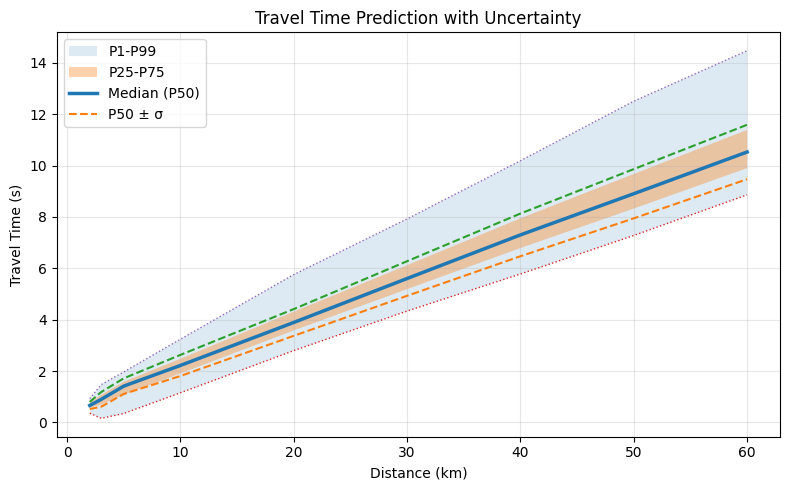
Travel Time Model
UTDQuake creates a travel time model for each network based on the information provided by the catalog.
tt = network.travel_time
predictions = tt.predict(phase="P", distance=[2,3,4,5,10,20,30,40,50,60]) #in km
display(predictions)
distance (km) |
sigma (s) |
p1 (s) |
p25 (s) |
p50 (s) |
p75 (s) |
p99 (s) |
|---|---|---|---|---|---|---|
2 |
0.138 |
0.360 |
0.578 |
0.661 |
0.768 |
0.924 |
3 |
0.285 |
0.160 |
0.694 |
0.896 |
1.077 |
1.468 |
4 |
0.295 |
0.254 |
0.888 |
1.155 |
1.331 |
1.717 |
5 |
0.304 |
0.349 |
1.083 |
1.414 |
1.584 |
1.966 |
10 |
0.411 |
1.154 |
1.907 |
2.220 |
2.479 |
3.241 |
Visualization (Plots)
UTDQuake provides convenient plotting functions for quick data exploration.
Check the utdquake.Network() plotting functions for more details and examples.
Or also check the utdquake.utils.plot() module for more flexibility to create your own custom plots.
import utdquake as utdq

dataset = utdq.Dataset()
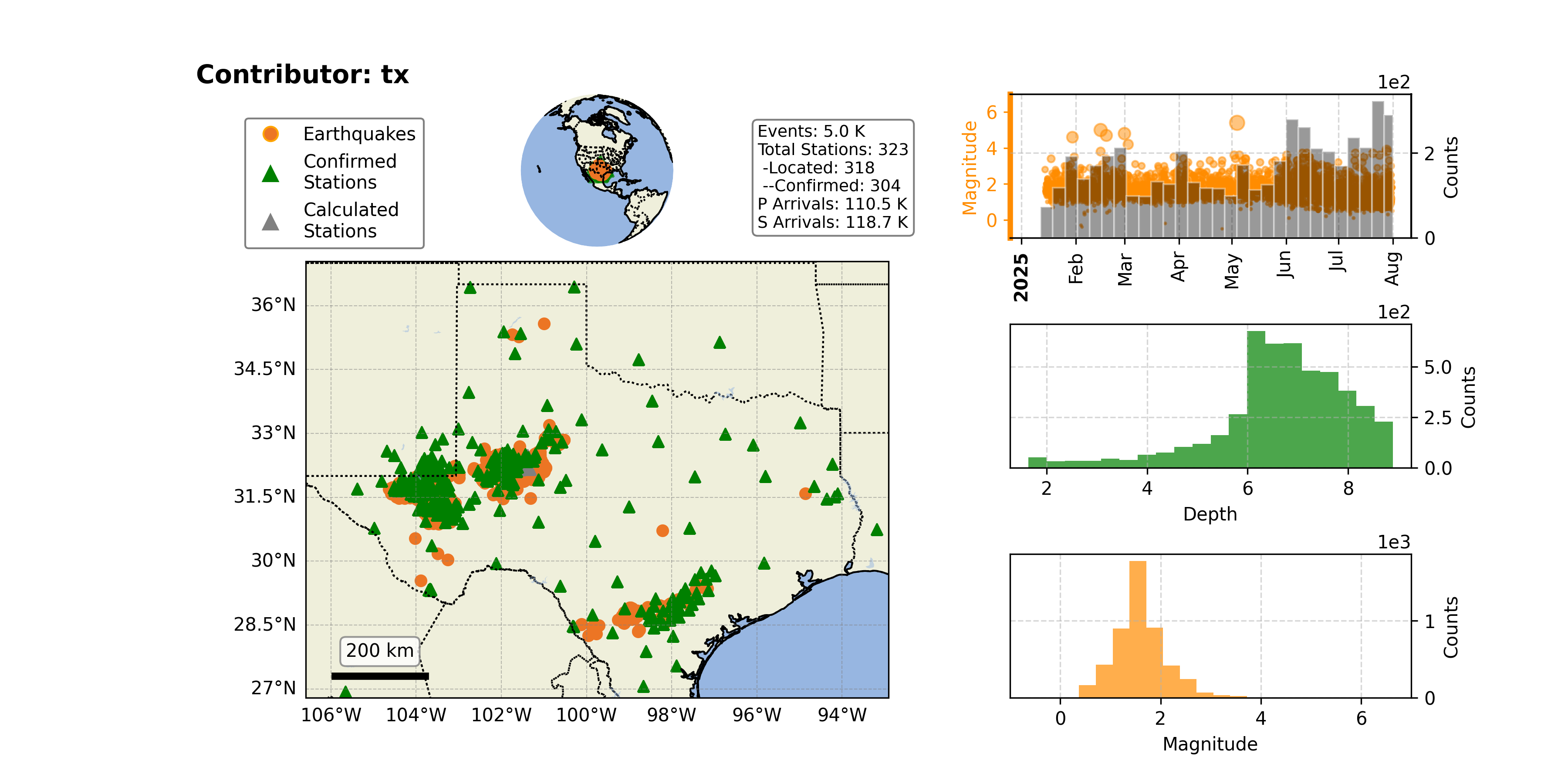
dataset.plot_overview(savepath="utdquake.png")

network = dataset.get_network(name="tx")

network.plot_overview(savepath="overview.png")
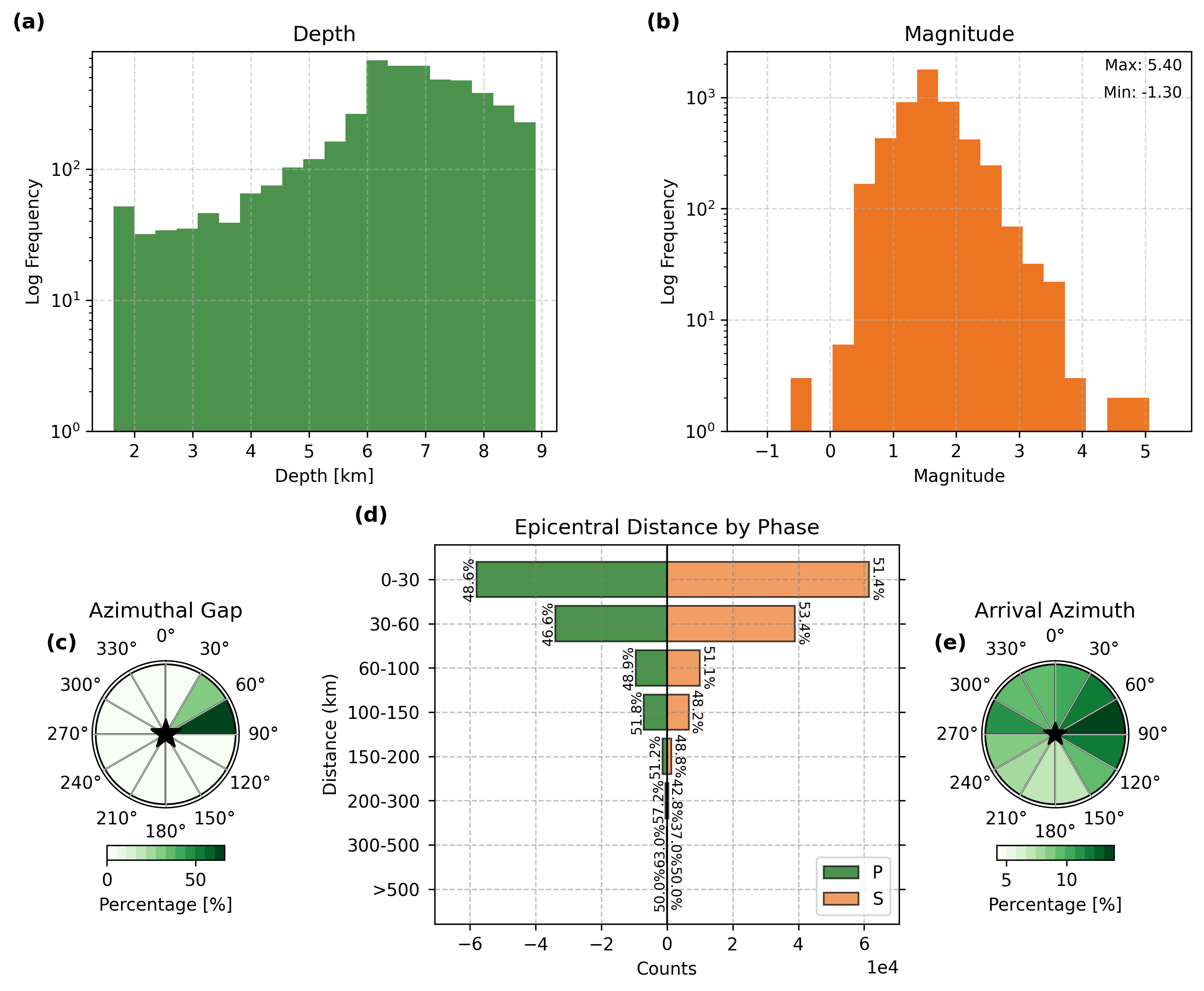
network.plot_stats(savepath="stats.png")
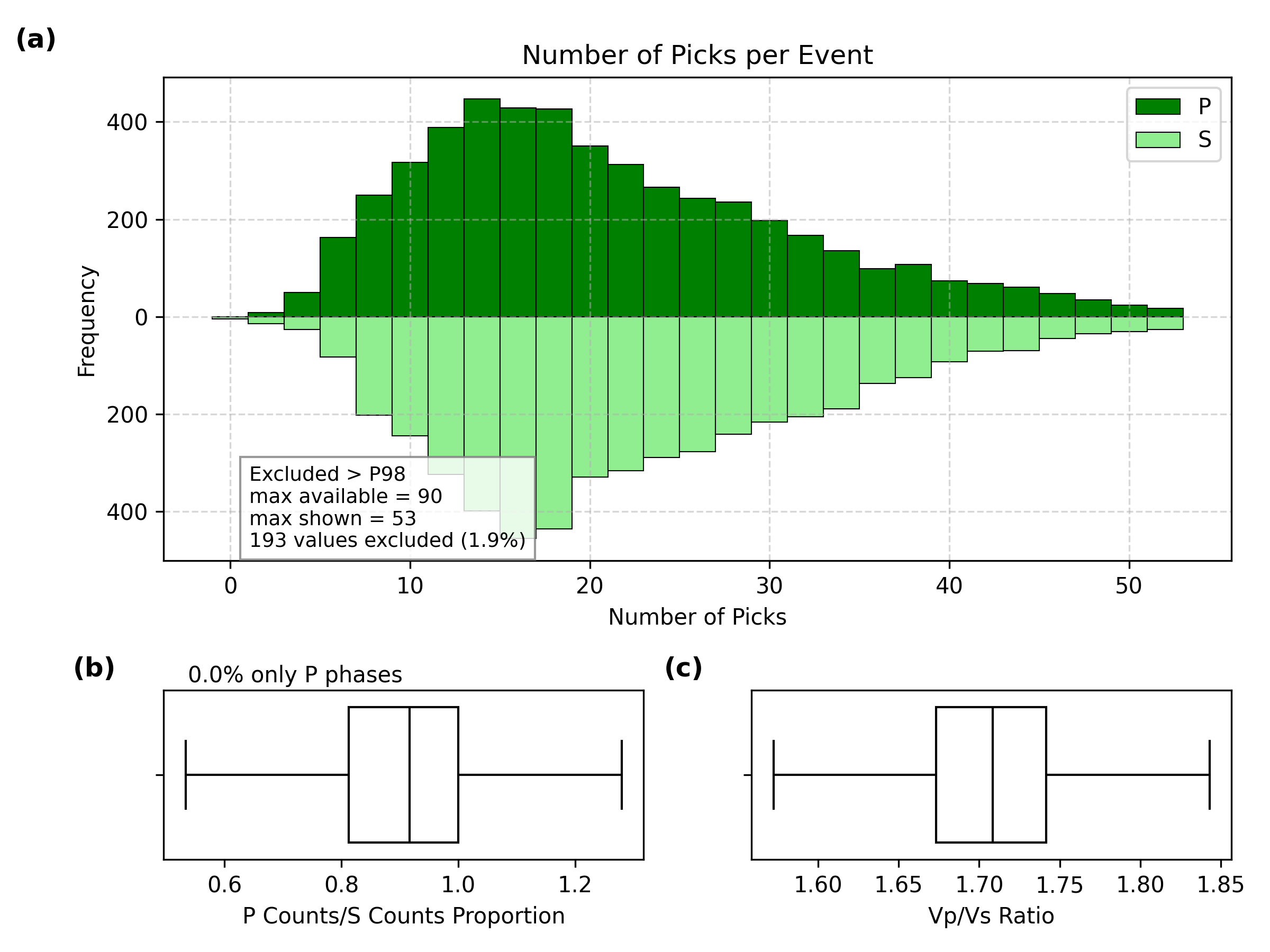
network.plot_pick_histograms(savepath="histograms.png")
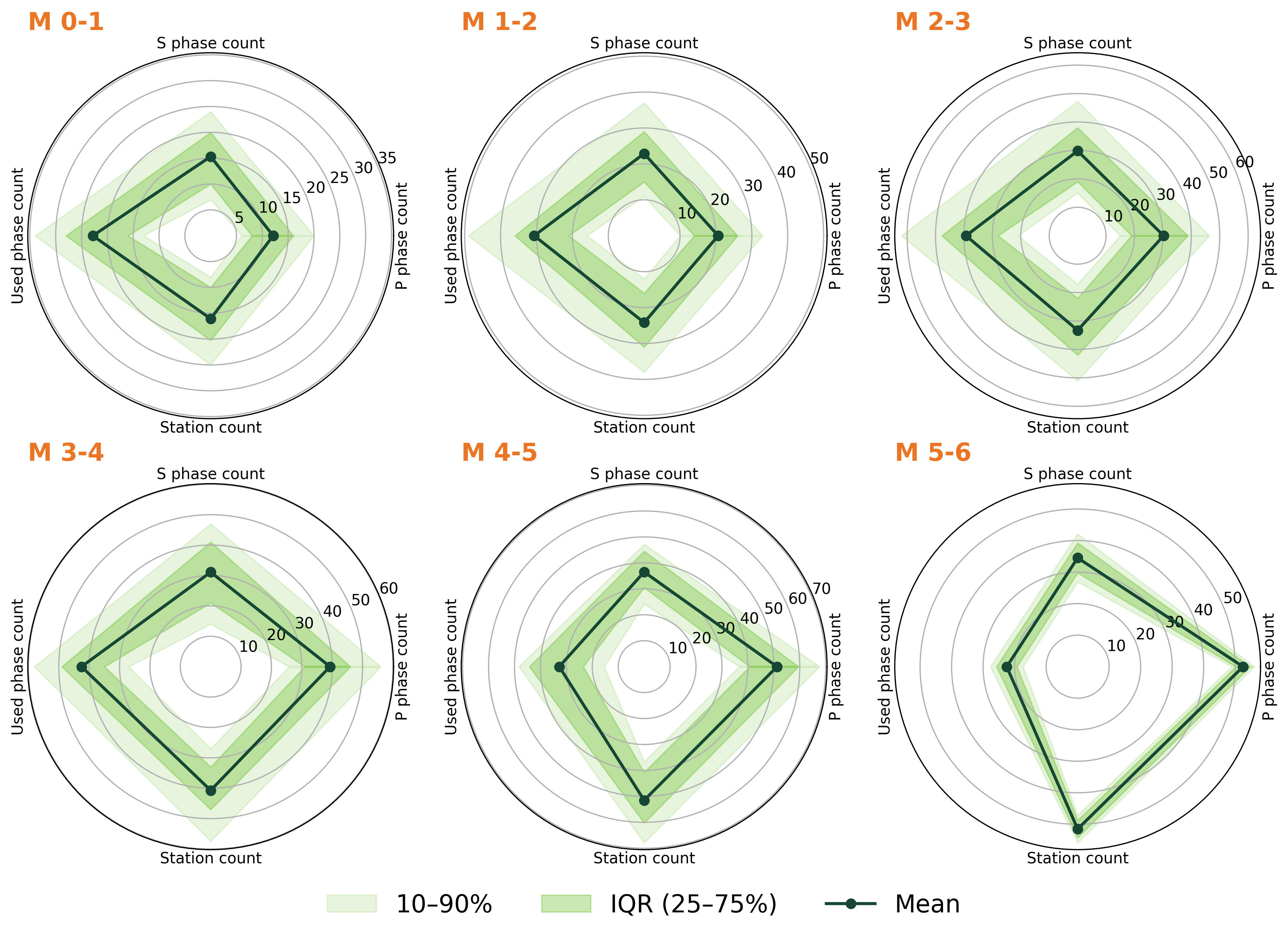
network.plot_phase_count_radar_by_magnitude(savepath="phase_count_radar.png")
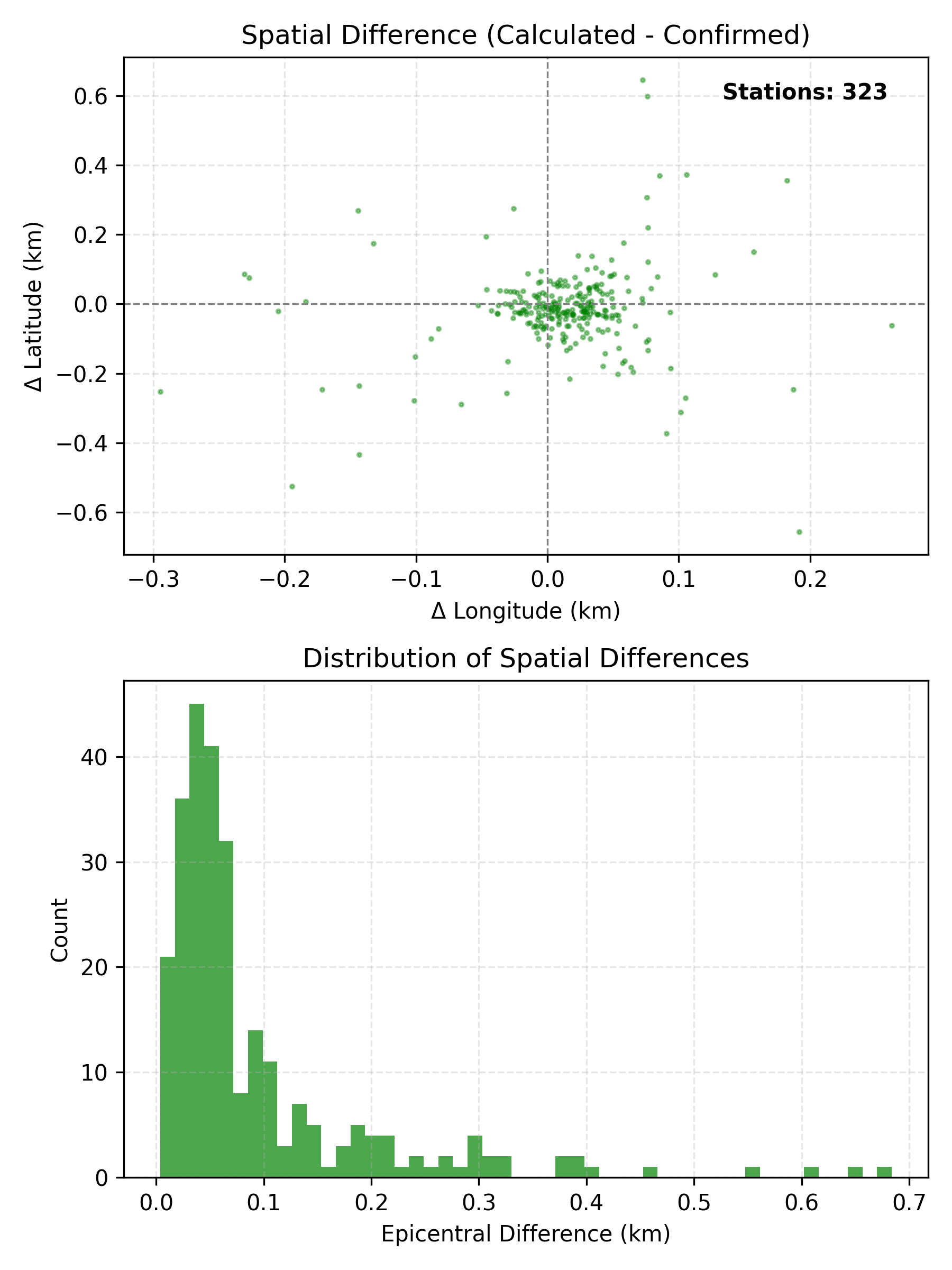
network.plot_station_location_uncertainty(savepath="station_location_uncertainty.png")
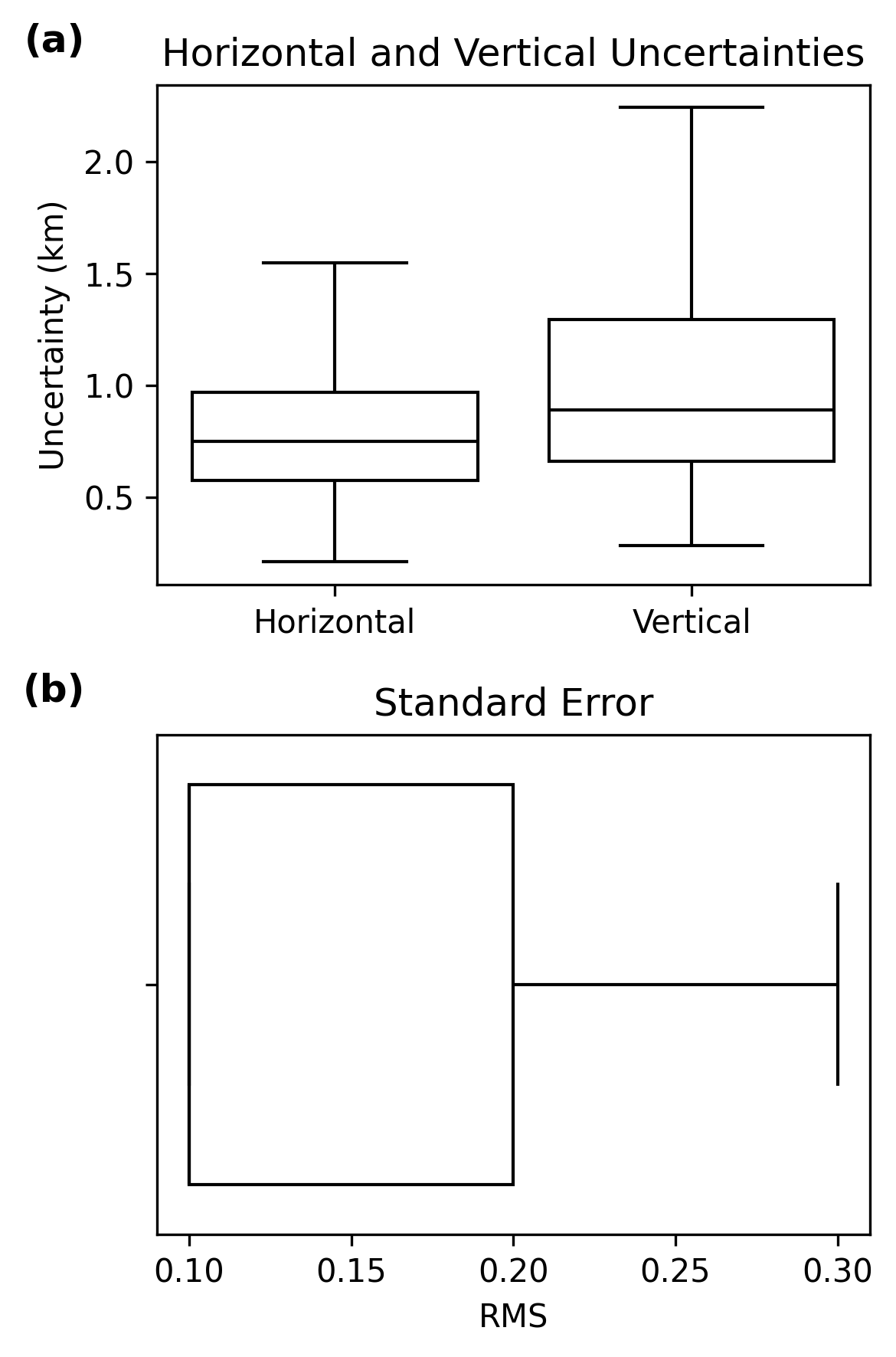
network.plot_uncertainty_boxplots(savepath="uncertainty_boxplots.png")
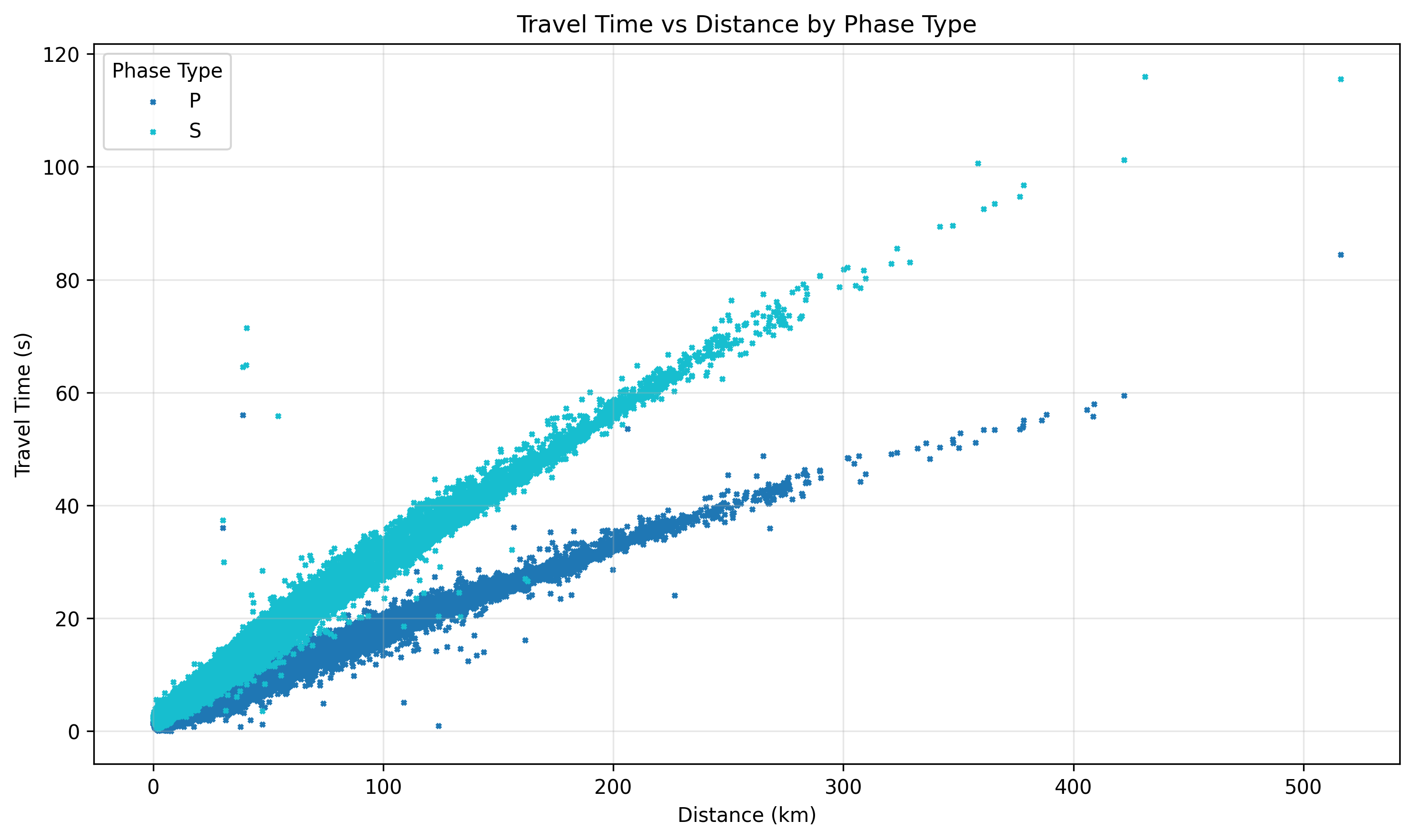
network.plot_travel_time_qc(savepath="plot_travel_time_qc.png")
network.plot_travel_time_vs_distance(savepath="travel_time_vs_distance.png")
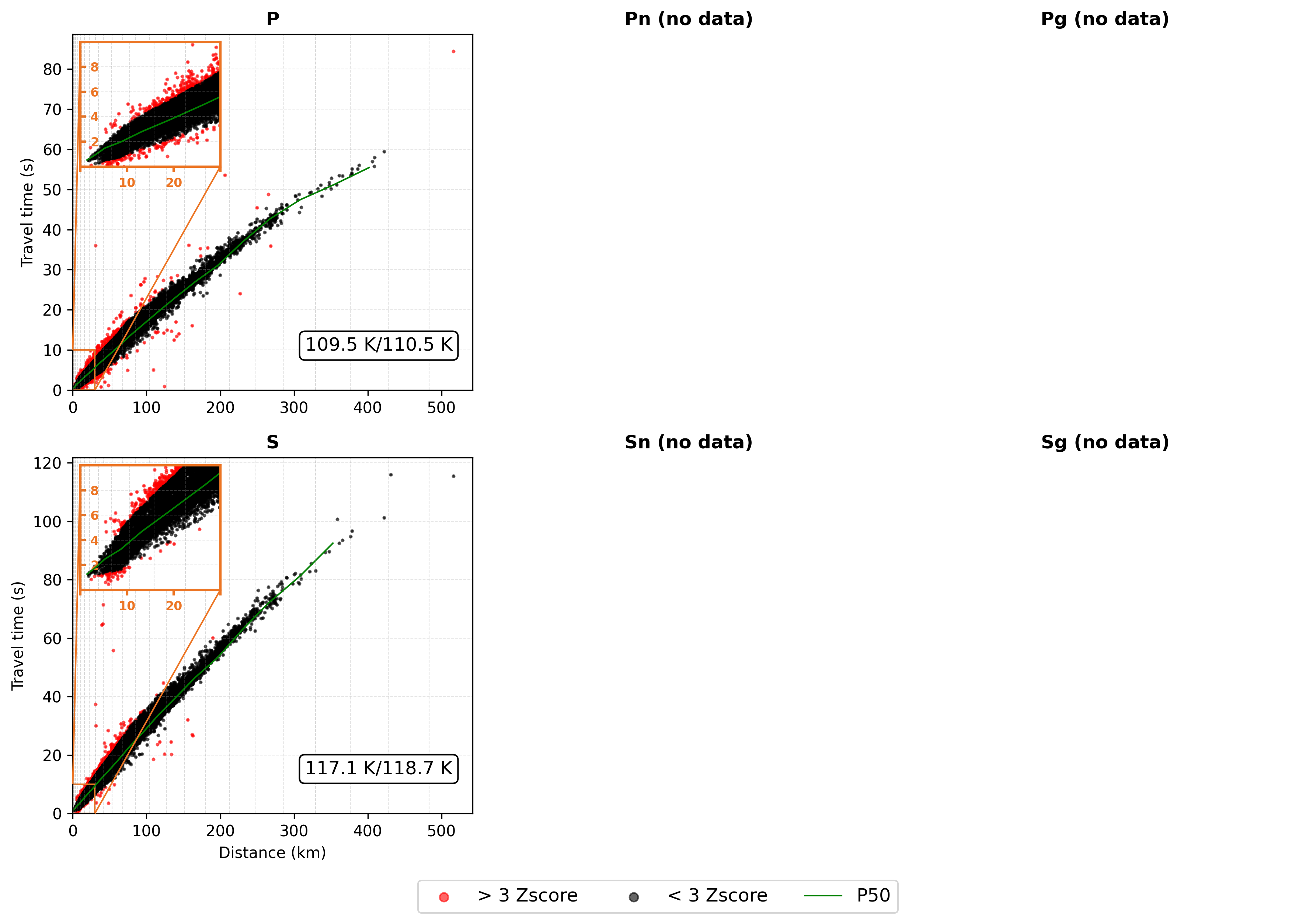
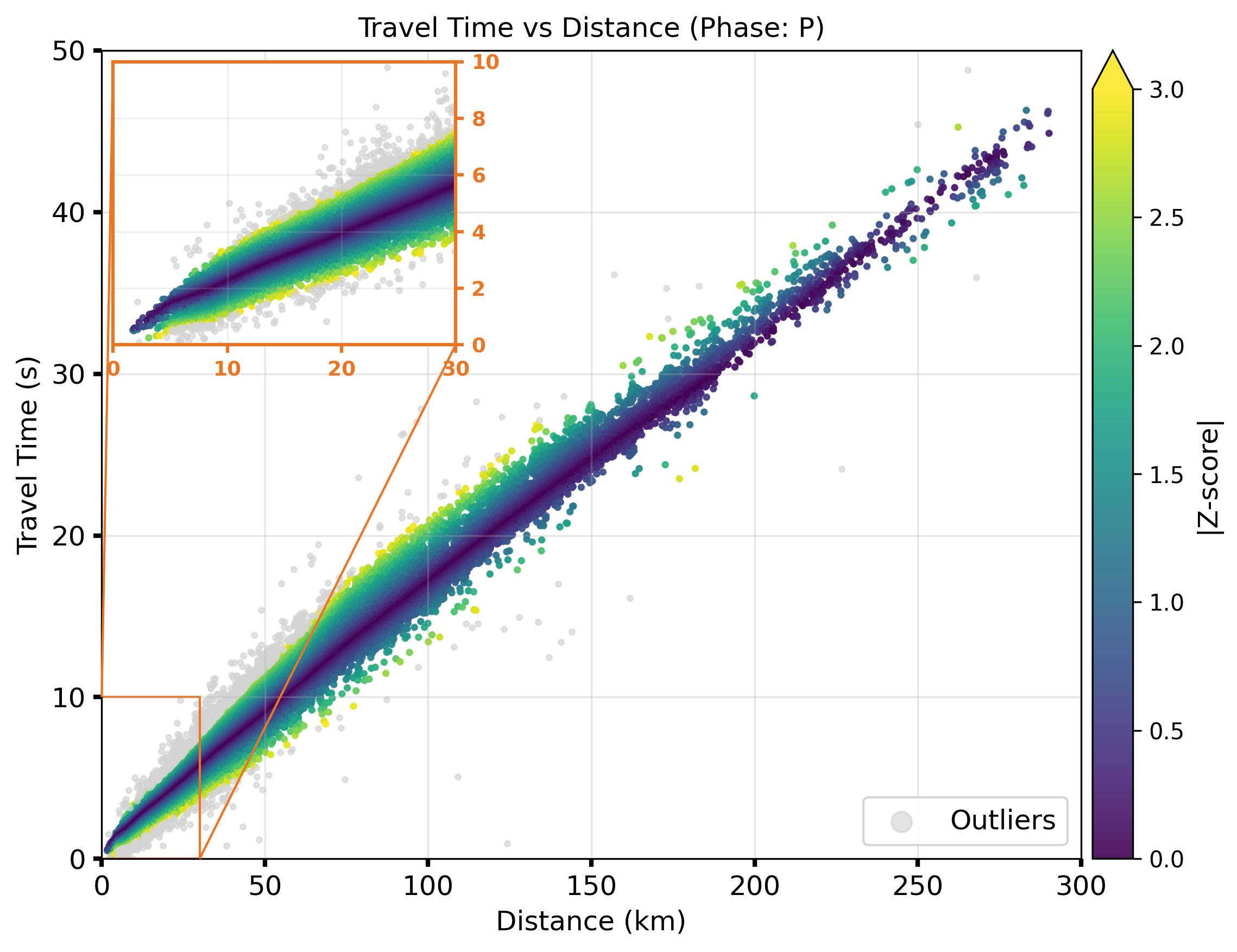
network.plot_travel_time_vs_distance_zscore(savepath="plot_travel_time_vs_distance_zscore.png")
Note
We need Cartopy to be able to plot figures with maps.
Available Figures
The table below summarizes the main categories of figures generated by UTDQuake. These plots are designed to help users quickly evaluate data quality, spatial coverage, and picking performance.
Overview |
Stats |
P & S Picks Analysis |
|---|---|---|
|
|
|
Magnitude & Phases Analysis |
Uncertainty in station location |
Uncertainty in EQ location |
|
|
|
General Travel Time Overview |
Travel Time |
Travel Time Zscore |
|
|
|
Further Reading
Explore all dataset methods:
utdquake.DatasetExplore all network methods:
utdquake.NetworkCheck the ObsPlus EventBank documentation for advanced event filtering.